2.0 Computer Speakers Explained: Types, Components and Key Technologies
2.0 Computer Speakers Explained: Types, Components and Key Technologies
Introduction
2.0 computer speakers remain an important category in desktop audio. They are widely used for:
PC gaming
Home offices
Online learning
Music
Movies
Video calls
Everyday computer entertainment
Compared with a single integrated soundbar, a 2.0 speaker system uses separate left and right speaker cabinets. This physical separation can create:
Wider stereo presentation
Flexible desktop placement
Stronger visual symmetry
More space for RGB lighting
Greater freedom in acoustic design
For gaming brands, computer accessory companies, importers, Amazon sellers, distributors, and retailers, 2.0 desktop speakers provide a versatile product opportunity. However, developing a competitive 2.0 computer speaker involves much more than placing two drivers inside plastic cabinets.
A professional 2.0 computer speaker manufacturer should understand:
Stereo acoustic engineering
Speaker driver selection
USB power and USB audio
Bluetooth connectivity
RGB lighting
Industrial design
PCB development
Product testing
Mass-production consistency
What Is a 2.0 Computer Speaker System?
A 2.0 speaker system contains two audio channels:
Left channel
Right channel
The “2” refers to two primary speaker channels. The “0” means there is no separate subwoofer.
A typical 2.0 desktop system includes:
One left speaker
One right speaker
A cable connecting the two speakers
A power source
One or more audio inputs
Controls
One speaker may act as the main or master unit containing:
PCB
Amplifier
Bluetooth module
USB audio system
Volume control
RGB controller
The second speaker may connect to the main speaker through a cable.
Why 2.0 Computer Speakers Remain Popular
1. Wider Stereo Separation
Separate left and right speakers can be positioned on both sides of the monitor. This creates a wider physical soundstage than many single-enclosure products.
The user can also adjust the distance and angle according to:
Desk size
Monitor width
Listening position
2. Flexible Desktop Placement
Users can place each cabinet independently. This is helpful for:
Single-monitor setups
Dual-monitor setups
Large gaming desks
Home-office workstations
3. Strong Gaming Appearance
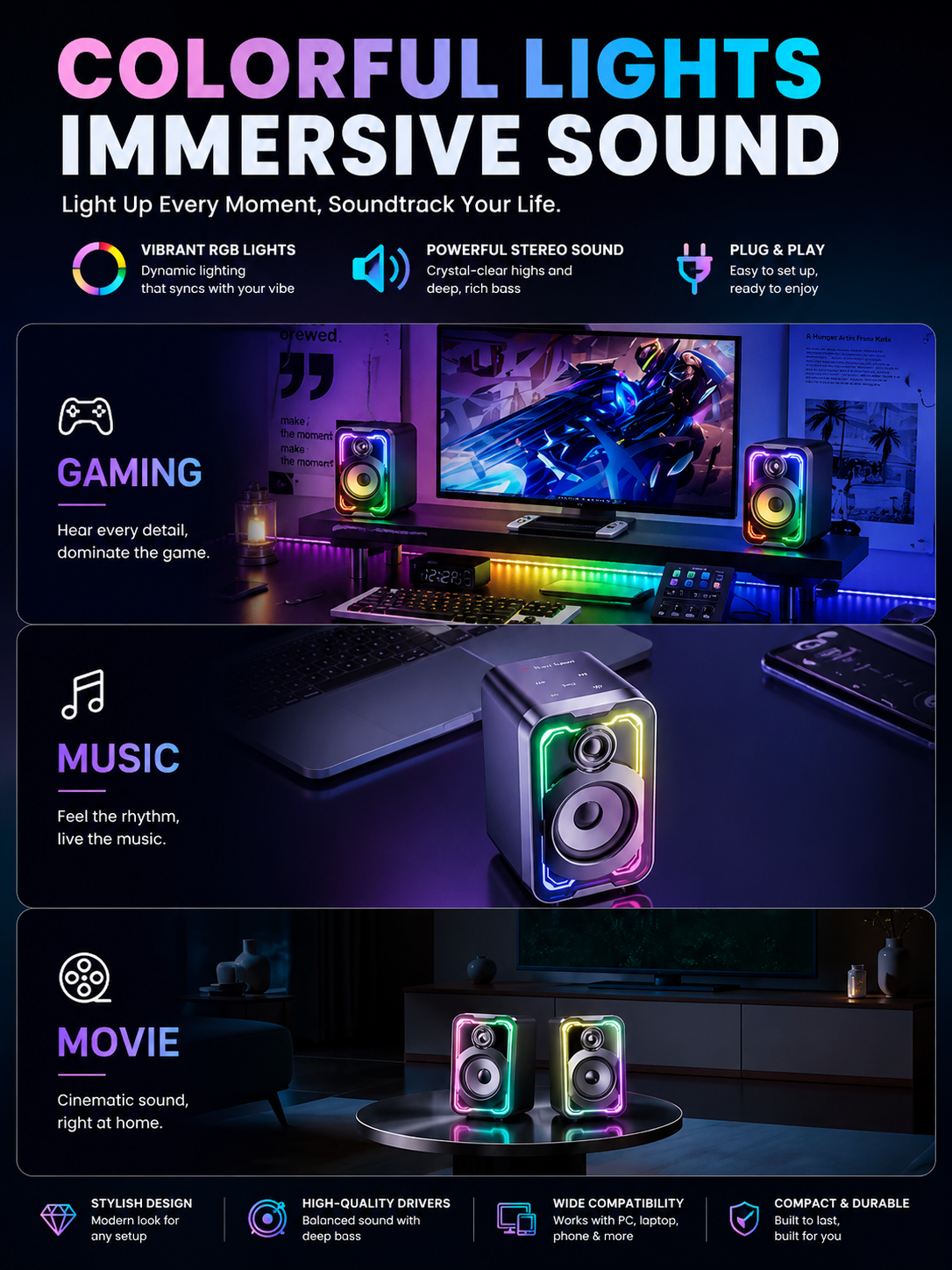
Two symmetrical RGB speakers can create a visually balanced gaming setup. Lighting can be integrated around:
Speaker drivers
Cabinet edges
Bases
Logos
Front panels
4. Product Range Flexibility
Brands can develop 2.0 speaker systems for different price levels.
Examples include:
Entry-level USB speakers
Bluetooth desktop speakers
RGB gaming speakers
Premium 2.0 audio systems
2.0 Computer Speakers vs Gaming Soundbars
Both categories are suitable for desktop use, but they serve different priorities.
| Feature | 2.0 Computer Speakers | Gaming Soundbar |
|---|---|---|
| Speaker placement | Separate left and right | Integrated enclosure |
| Stereo separation | More flexible | Limited by soundbar width |
| Desk space | Uses side space | Uses space under monitor |
| RGB presentation | Symmetrical left and right | Continuous horizontal lighting |
| Cable management | May require more wiring | Usually simpler |
| Acoustic cabinet freedom | Greater | Limited by slim enclosure |
| Best for | Wider gaming desks | Compact or minimalist desks |
Neither product is universally better. The correct choice depends on the target user and desktop environment.
2.0 Speakers vs 2.1 Speakers
A 2.1 system includes:
Left speaker
Right speaker
Separate subwoofer
The subwoofer can provide stronger low-frequency output, but it also increases:
Product size
Packaging volume
Cables
Manufacturing cost
Shipping cost
A 2.0 system is often more suitable for users who want:
Simpler installation
Smaller packaging
Cleaner desktop organization
Balanced everyday sound
For many mainstream PC and gaming users, a well-designed 2.0 system provides a practical balance between performance and convenience.
Main Types of 2.0 Computer Speakers
USB-Powered 2.0 Speakers
USB provides electrical power. Audio may come from:
AUX
USB digital audio
Bluetooth
depending on the product architecture. USB-powered products are popular because they are convenient for:
Desktop PCs
Laptops
Office use
Student setups
USB Audio 2.0 Speakers
A true USB audio system can receive digital sound directly from a computer. The computer recognizes the speaker system as an audio output device.
This can provide:
Convenient PC connection
Digital audio transmission
Reduced cable complexity
USB audio should not be confused with USB power only.
Bluetooth 2.0 Speakers
Bluetooth allows wireless audio from:
Smartphones
Tablets
Laptops
Bluetooth-enabled PCs
Many products combine Bluetooth with wired inputs.
RGB Gaming Speakers
RGB 2.0 speakers are designed for gaming setups. Common features include:
Dynamic lighting
USB audio
Bluetooth
Gaming-inspired industrial design
Physical volume control
Traditional AUX Desktop Speakers
AUX-based speakers use an analog 3.5 mm audio connection.
They can provide:
Simple architecture
Broad compatibility
Cost-effective positioning
Target Customers for 2.0 Computer Speakers
PC Gamers
Common priorities:
Stereo separation
RGB lighting
USB audio
Easy volume control
Gaming appearance
Home-Office Users
Common priorities:
Clear voice reproduction
Compact size
Simple controls
RGB off mode
Easy computer connection
Students
Common priorities:
Affordable price
Compact design
Music and video use
Simple setup
Streamers and Content Creators
Common priorities:
Attractive on-camera appearance
Clear desktop audio
RGB lighting
Organized desk layout
General Multimedia Users
Common priorities:
Music
Movies
Online calls
Everyday computer use
2.0 Computer Speaker Design and Engineering
Stereo Acoustic Engineering
The main advantage of a 2.0 system is physical stereo separation. However, good stereo performance still requires engineering.
Manufacturers need to coordinate:
Driver selection
Cabinet size
Left/right balance
Amplifier
Internal volume
Speaker placement
If the left and right cabinets perform differently, the stereo image may shift or feel unbalanced. Production consistency is therefore important.
Speaker Driver Selection
Drivers influence:
Bass
Vocal clarity
Maximum volume
Distortion
Product cost
The correct driver depends on:
Cabinet dimensions
Target sound
Power architecture
Target retail price
A larger driver may offer advantages in certain areas, but it also requires more:
Cabinet width
Cabinet depth
Internal volume
Driver selection should be made together with enclosure design.
Cabinet Volume
Each speaker cabinet forms part of the acoustic system. Internal volume affects:
Bass response
Resonance
Driver behavior
Maximum output
A visually attractive cabinet may perform poorly if the internal acoustic space is not properly designed. This is why industrial design and acoustic engineering should begin together.
Passive Radiators
Some compact 2.0 speaker systems use passive radiators to improve low-frequency performance. A passive radiator responds to air pressure inside the cabinet.
Potential benefits include:
Stronger bass
Better use of compact cabinet space
No conventional open bass port
However, it must be matched to:
Driver
Cabinet volume
Target tuning
Adding a passive radiator without proper engineering does not guarantee better sound.
Bass Reflex Design
Another option is a bass-reflex or ported enclosure. The port can reinforce selected low frequencies.
Engineers need to optimize:
Port dimensions
Cabinet volume
Airflow
Tuning frequency
Poorly designed ports may create:
Air noise
Unbalanced bass
Distortion
DSP Tuning
DSP can help optimize the final sound profile. Possible adjustments include:
Bass
Midrange
Treble
Dynamic behavior
Output protection
Depending on the product architecture, brands may develop:
Gaming mode
Music mode
Movie mode
However, DSP cannot completely compensate for weak drivers or poor cabinet design. The strongest products combine: Good Hardware + Good Acoustic Design + Appropriate DSP
Amplifier Matching
The amplifier should be matched to:
Driver configuration
Power source
Target volume
Thermal requirements
Higher advertised wattage does not automatically mean better sound.
Actual performance also depends on:
Driver sensitivity
Cabinet design
Distortion
Listening distance
Brands should evaluate real samples instead of relying only on a wattage number.
Left and Right Channel Balance
Channel balance is especially important in 2.0 speaker systems.
The two cabinets should provide consistent:
Output
Frequency response
Sound character
Problems can result from:
Driver variation
Wiring
Amplifier channels
Cabinet differences
Production testing should verify channel consistency.
Inter-Speaker Cable Design
The left and right speakers usually connect through a cable.
This cable affects:
Desk placement
Assembly
Reliability
User experience
Important considerations include:
Cable length
Connector type
Cable strength
Exit direction
A cable that is too short can limit speaker placement. A cable that is too long can create clutter.
Master and Secondary Speaker Architecture
Many 2.0 systems place the main electronics inside one cabinet. The master speaker may contain:
PCB
Amplifier
Bluetooth
USB audio
Controls
RGB controller
The secondary speaker may contain fewer electronic components.
Engineers need to consider:
Weight balance
Thermal behavior
Cable routing
Acoustic consistency
The master cabinet may have less acoustic space because it contains more electronics. This difference must be addressed during development.
One-Cable USB Speaker Systems
A one-cable design can provide:
Power
Digital audio
through one connection, depending on the product architecture and power requirements.
This can improve:
Desk organization
Setup simplicity
User experience
However, engineers must ensure available USB power is sufficient for:
Amplifier
RGB
Electronics
Bluetooth Integration
Bluetooth adds flexible wireless use. Important development areas include:
Chipset selection
Antenna placement
Firmware
Reconnection
Compatibility
The two-cabinet structure should also be considered during antenna design. Materials, electronics, and cable placement can influence wireless performance.
AUX Input
AUX can provide simple analog compatibility with:
PCs
Monitors
Laptops
Other supported devices
AUX remains useful for:
Entry-level products
Wider device compatibility
Low-complexity wired audio
Controls
Common controls may include:
Power
Volume
Input selection
Bluetooth pairing
RGB lighting
Controls can be placed on:
Front panel
Side panel
Top panel
Cable control module
The best position depends on the user's desk and product design.
Volume Knob
A physical volume knob can become an important feature.
Benefits include:
Fast adjustment
Intuitive control
Strong tactile experience
Brands can customize:
Size
Material
Texture
RGB illumination
Push function
In-Line Control Module
Some cost-focused 2.0 speakers use a control module integrated into the cable.
This may include:
Volume
Power
Headphone output
Advantages can include:
Simple cabinet design
Easy access
However, cable quality and control-module durability become important quality points.
RGB Lighting Design
2.0 gaming speakers provide strong opportunities for symmetrical RGB.
Lighting can appear:
Around drivers
Along cabinet edges
Under speaker bases
Behind grilles
Inside logos
The left and right lighting should remain visually consistent.
RGB Synchronization Between Speakers
Both speakers should display coordinated lighting.
This may require:
Wired lighting communication
Shared controller
Synchronized firmware
Poor synchronization can make the product appear defective even when the audio functions correctly.
RGB Diffusion
Good RGB design requires appropriate diffusion.
Manufacturers should control:
LED position
Diffuser material
Brightness
Viewing angle
Visible hotspots can reduce perceived product quality.
Industrial Design
2.0 speakers should visually frame the monitor.
Designers may consider:
Cabinet proportions
Driver position
RGB layout
Grille shape
Controls
Logo placement
The left and right speakers should look balanced as a pair.
Desktop Ergonomics
The product should work in real desktop environments.
Important factors include:
Speaker height
Monitor size
Desk depth
Keyboard space
Cable direction
Control access
Test prototypes with real PC setups before production.
Cabinet Materials
Common material solutions may include:
Engineered plastics
Metal grilles
Fabric
Decorative components
Material selection affects:
Cost
Appearance
Rigidity
Acoustic behavior
Manufacturing
Metal Grilles
Metal grilles can provide:
Driver protection
Technical appearance
Premium feel
However, the grille design should maintain sufficient acoustic openness.
Fabric Grilles
Fabric can create a softer and more lifestyle-oriented look.
Brands should evaluate:
Acoustic transparency
Durability
Cleaning
Color consistency
Surface Finishes
Possible finishes include:
Matte texture
Gloss accents
Metallic appearance
Printed patterns
Gaming products should balance visual impact with resistance to:
Fingerprints
Scratches
Daily handling
OEM vs ODM 2.0 Speakers
ODM
Uses an existing product platform.
Suitable for:
Faster market entry
Lower initial development investment
Private-label projects
Common customization:
Logo
Packaging
Color
Selected RGB settings
Semi-Custom
May reuse proven:
PCB
Drivers
Acoustic architecture
while customizing:
Housing
Grille
RGB
Controls
Full OEM
May involve:
New industrial design
New tooling
Custom PCB
Custom acoustics
Unique RGB
Firmware development
The correct model depends on the brand's product strategy.
Cost Factors
2.0 computer speaker factory cost can be affected by:
Drivers
Amplifier
PCB
Bluetooth
USB audio
RGB
Cabinet material
Grille
Controls
Packaging
Order quantity
Two speaker systems with similar appearance can have very different internal specifications.
MOQ
MOQ depends on:
Existing or custom product
Housing color
Packaging
PCB
Drivers
Tooling
An exact MOQ should be discussed according to the project rather than assumed from a generic number.
Lead Time
An ODM project can move faster because the platform already exists.
A custom OEM project may require:
Design
Engineering
Prototypes
Tooling
Testing
Pilot production
Brands should plan backward from the intended launch date.
How to Choose a 2.0 Computer Speaker Manufacturer
Evaluate:
Audio experience
Stereo acoustic engineering
USB audio capability
Bluetooth integration
RGB development
Industrial design
Mechanical engineering
Cable and control quality
Quality control
Production consistency
The manufacturer should be able to explain how the left and right speakers are developed as one complete system.
Buyer Decision Checklist
Before requesting an OEM or ODM proposal, define:
Target user
Target market
Target retail price
Sales channel
USB power or USB audio
Bluetooth requirement
AUX requirement
RGB requirement
Driver size
Cabinet size
Volume control
Inter-speaker cable length
Housing material
Grille material
Packaging
Expected annual volume
First-order quantity
Target launch date
Compliance markets
Clear requirements help the manufacturer recommend a more suitable product platform.
Why Choose Shinedee
Shenzhen Shinedee Electronics specializes in gaming and desktop audio development and manufacturing.
Our capabilities include:
2.0 computer speaker manufacturing
RGB gaming speaker development
USB audio integration
Bluetooth integration
Acoustic engineering
Driver selection
DSP tuning
Industrial design support
Mechanical engineering
PCB development
RGB customization
Prototype development
Tooling coordination
Product testing
Quality control
OEM and ODM manufacturing
Mass production
Our product categories include:
2.0 Computer Speakers
RGB Gaming Speakers
Gaming Soundbars
Portable Bluetooth Speakers
Outdoor Waterproof Speakers
Founded in 2010, Shinedee supports global brands, importers, retailers, and Amazon sellers from product selection and customization through engineering, testing, packaging, and mass production.
READ: Gaming Speakers Manufacturer for OEM, ODM and Private Label Brands
Frequently Asked Questions
Are 2.0 speakers good for gaming? Yes. Separate left and right placement can provide wide physical stereo separation, while RGB, USB audio, and Bluetooth can support modern gaming setups.
What is the difference between USB power and USB audio? USB power supplies electricity only. USB audio transmits digital sound from the computer to the speaker system.
Can 2.0 computer speakers support Bluetooth? Yes. Many modern 2.0 speakers combine Bluetooth with wired inputs such as USB audio or AUX.
Can a brand customize 2.0 computer speakers? Yes. OEM and ODM customization can include housing, color, grille, drivers, sound tuning, USB audio, Bluetooth, RGB, controls, branding, and packaging.
What determines 2.0 computer speaker cost? Cost depends on drivers, amplifier, PCB, USB audio, Bluetooth, RGB, cabinet materials, controls, packaging, quality requirements, and order quantity.
What is the MOQ for custom 2.0 speakers? There is no universal MOQ. It depends on the product platform, customization, components, packaging, tooling, and production requirements.
How should brands choose a 2.0 speaker manufacturer? Evaluate acoustic engineering, USB and Bluetooth capability, RGB development, industrial design, cable quality, testing, production consistency, and OEM support.
Conclusion
2.0 computer speakers remain a versatile and commercially valuable desktop audio category.
They can serve:
Gamers
Home-office users
Students
Streamers
General multimedia customers
A successful 2.0 product requires coordination between:
Stereo acoustic engineering
Driver selection
Cabinet design
USB audio
Bluetooth
RGB
Controls
Cable architecture
Quality control
Packaging
For new brands, an ODM platform can provide a faster route to market. For growing brands, semi-custom development can create greater differentiation. For established brands, full OEM development can support exclusive industrial design, sound tuning, electronics, and RGB systems. Shinedee supports global customers with OEM, ODM, and semi-custom 2.0 computer speaker development—from product planning and acoustic engineering through testing, packaging, and mass production.